|
This is where you develop the document that you will eventually send to your customers.
Once an invoice is set to SENT
That version of the invoice is preserved.
You can no longer edit the invoice
set date - required before changing from quote to invoice
set to sent
view html
set to paid
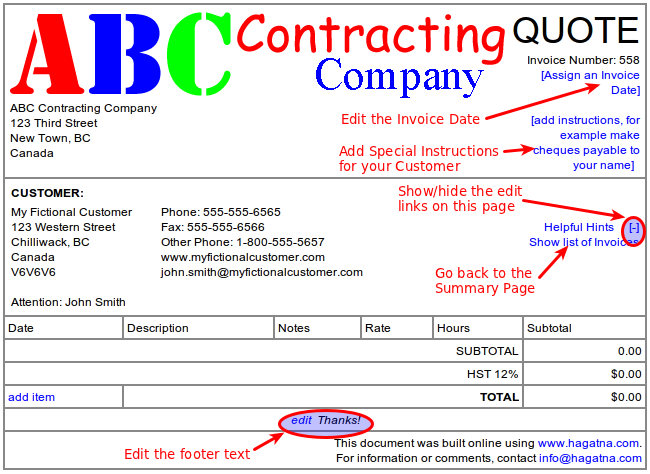
Some of the Editing Features
You can customize the quote
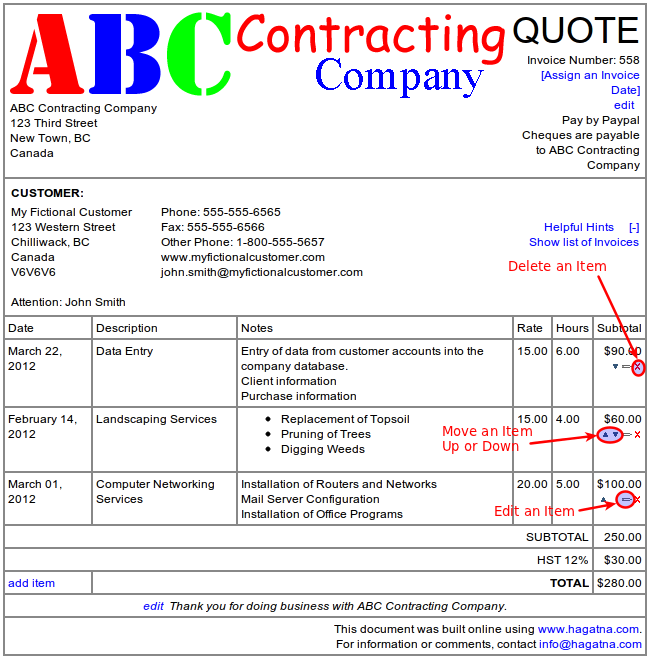
Working on the Line Items
Editing, deleting, moving items up/down
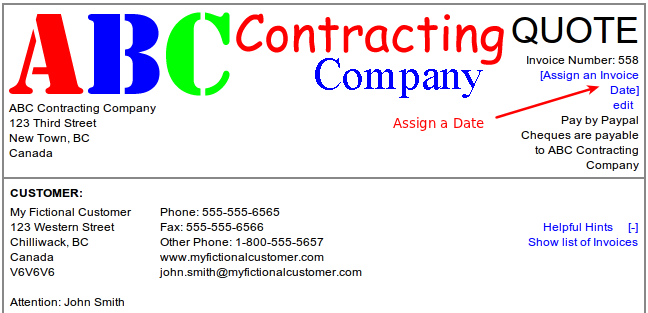
Changing from Quote to Invoice
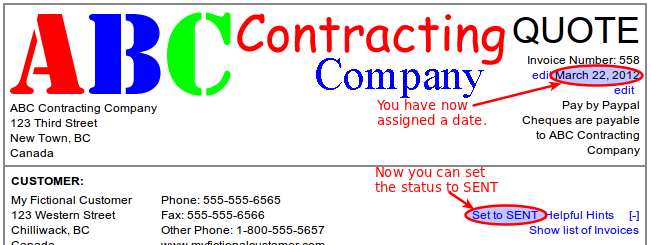
To do this, you must first assign a date.
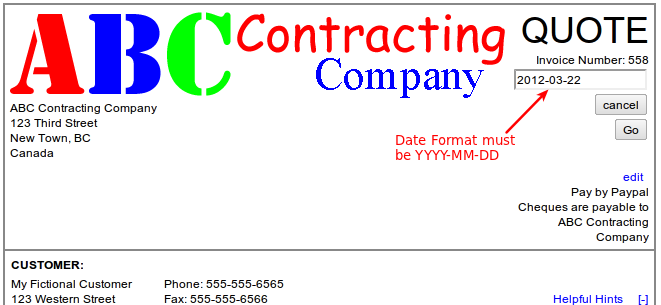
The Date Format must be YYYY-MM-DD
When this is done you will see a new link which allows you to set the Invoice to SENT
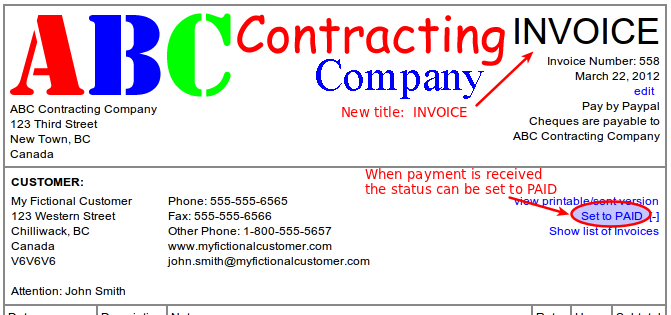
After you set the invoice to Sent, you will no longer be able to edit it.
Now that it is sent, the title has changed from QUOTE to INVOICE
SENT Invoice.
|